
When putting together a super budget build centered around an old CPU, maximizing your remaining cash for a graphics card requires navigating the second hand market with extreme caution. While choosing between a processor platform that utilizes cheap, older DDR3 platform or the slightly newer, faster DDR4 your baseline system performance, finding a reliable used GPU is what truly brings your gaming build to life.
This guide will give you 13 tips for buying a used GPU from second hand markets without getting burned.
Avoid Listings with Only Stock Photos

If a seller only uploads promotional or manufacturer images of the card, skip it or ask for real photos. Honest sellers will post clear pictures of the actual card, often showing it sitting on a desk or still inside their running computer system.
Check the Used GPU Warranty Stickers
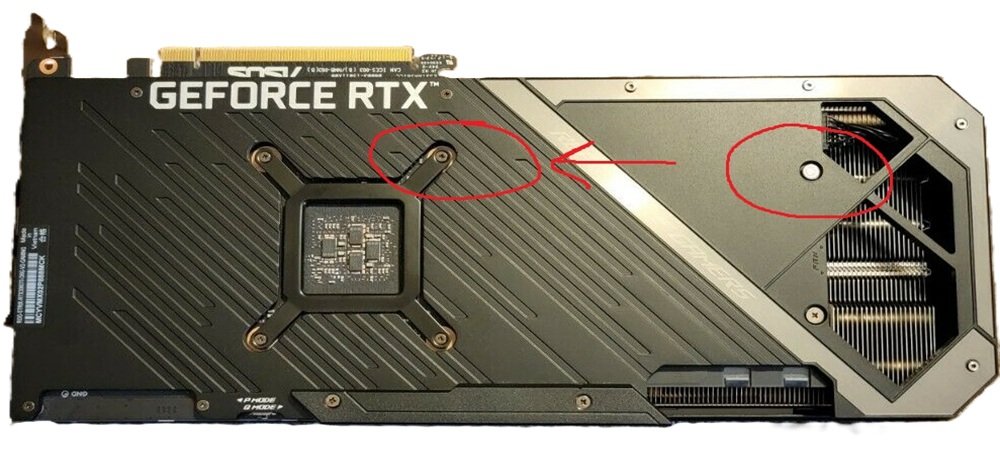
Look closely at the screws on the backplate of the GPU. Most manufacturers place a small sticker over one of the core heatsink screws. If this sticker is missing, punctured, or scratched off, it means the card has been opened. Ask the seller why they opened it—they may have just replaced old thermal paste, but it could also mean it underwent amateur repairs.
Inspect for Corrosive “Red Flags”
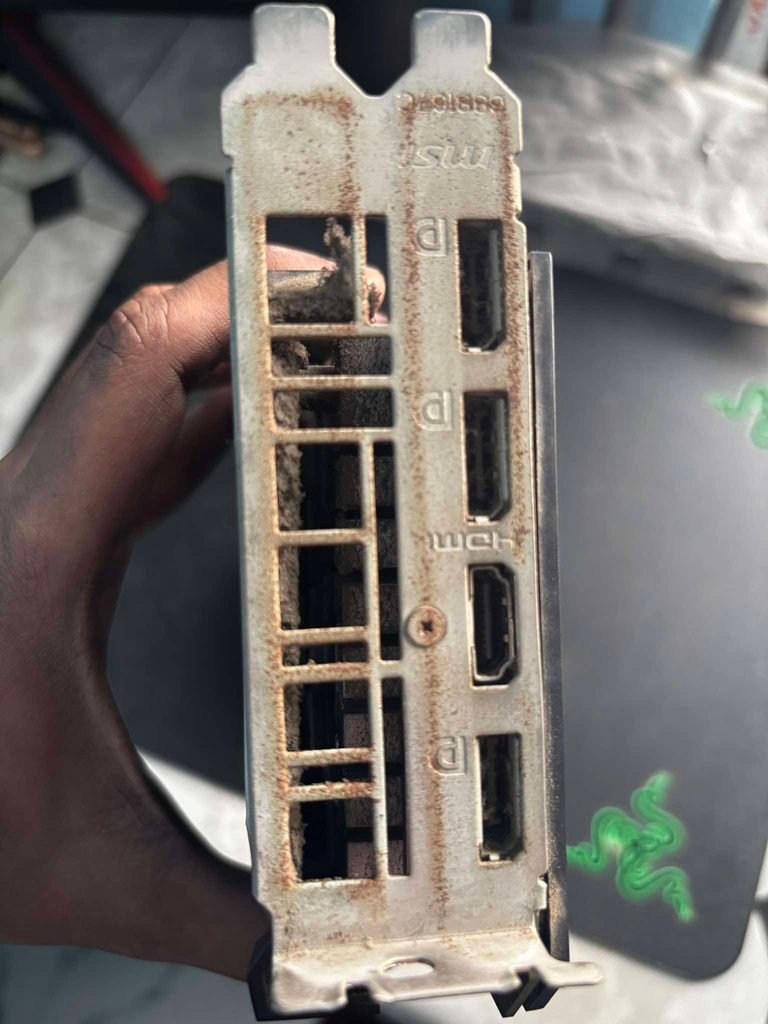
When inspecting photos or looking at the card in person, watch out for these physical warning signs:
- Brown staining near the power inputs (signs of overheating/burnt components).
- White or green crusty residue on the circuit board (signs of liquid damage).
- Surface rust or oxidation on the metal ports or heatsink fins (indicates it was kept in a damp environment like a garage or basement).
Always Demand a Video or Live Demonstration
Never buy a card blindly in a parking lot without proof that it works. If buying locally, ask the seller to fire up a benchmark. If buying online, ask the seller to send a quick smartphone video showing the PC booting up, the screen getting a video signal, and the GPU fans spinning smoothly.
Inspect the PCIe Slot Gold Pins for Deep Scratches
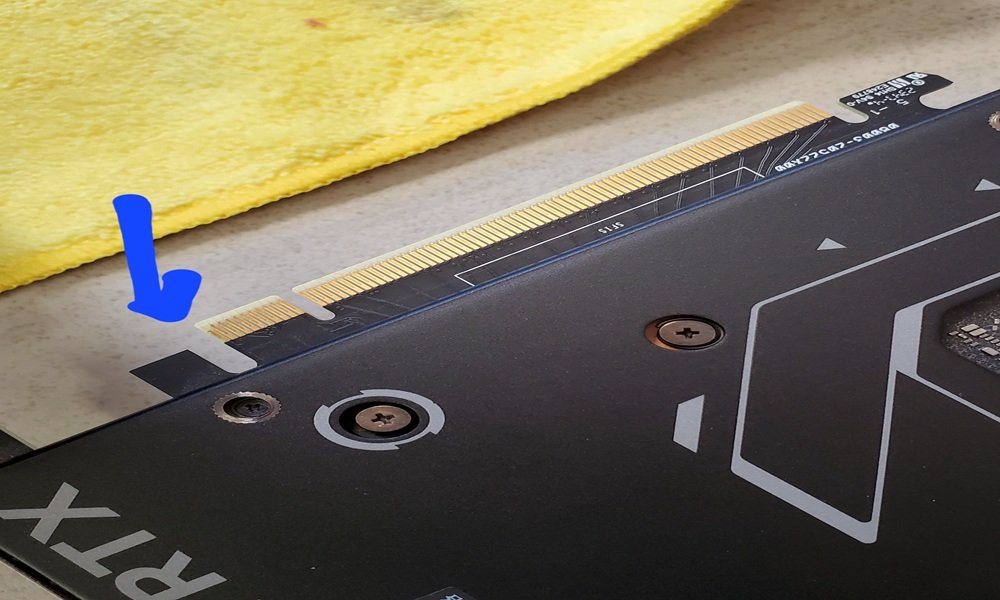
Ask the seller for a sharp photo of the golden teeth/pins at the bottom of the card that plug into the motherboard. Badly sagging GPUs or careless previous owners can crack the green circuit board or deeply scratch the gold plating off the contacts. If the gold plating is scraped down to the bare metal, the card will eventually lose its connection and stop working.
Shake the Card Gently to Check the Fan Bearings
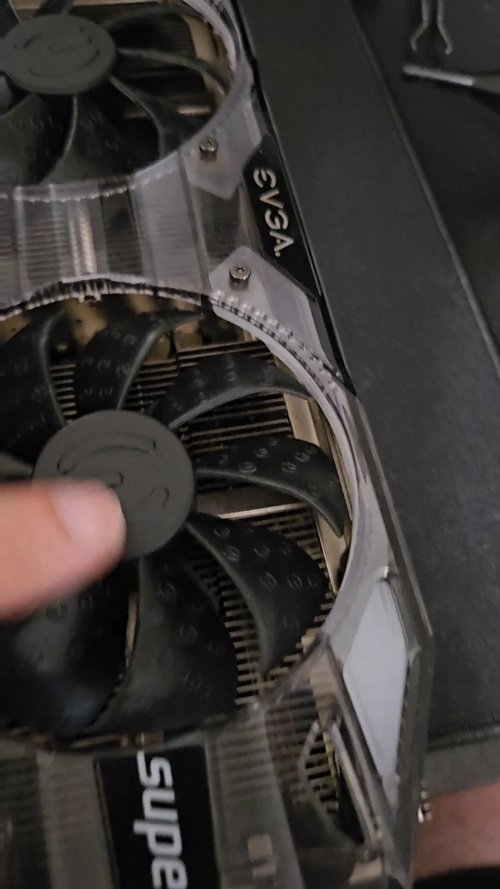
Fans are the most common part to fail on an old GPU. When holding the card, give it a tiny, gentle shake and spin the fans manually with your finger. If you hear a rattling sound, scratching, or if a fan stops spinning immediately instead of gliding smoothly, the bearings are shot. Replacing GPU fans requires ordering specialized replacements online and taking the card apart.
Verify the Specs with GPU-Z
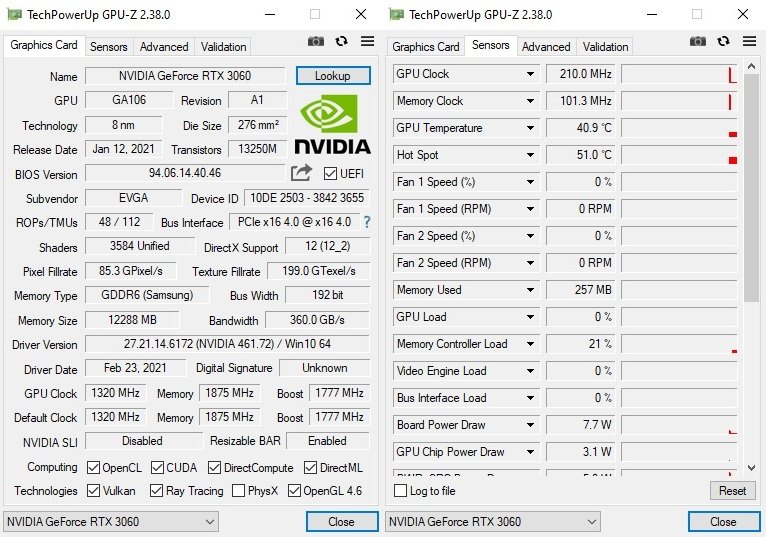
Scammers often take ancient, cheap graphics cards and flash a fake BIOS onto them so they appear as newer cards inside Windows. Ask the seller for a screenshot of the free software TechPowerUp GPU-Z running with the card. This software will instantly flag fake cards with a giant [FAKE] warning in the name field.
Run a 15-Minute FurMark or OCCT Stress Test
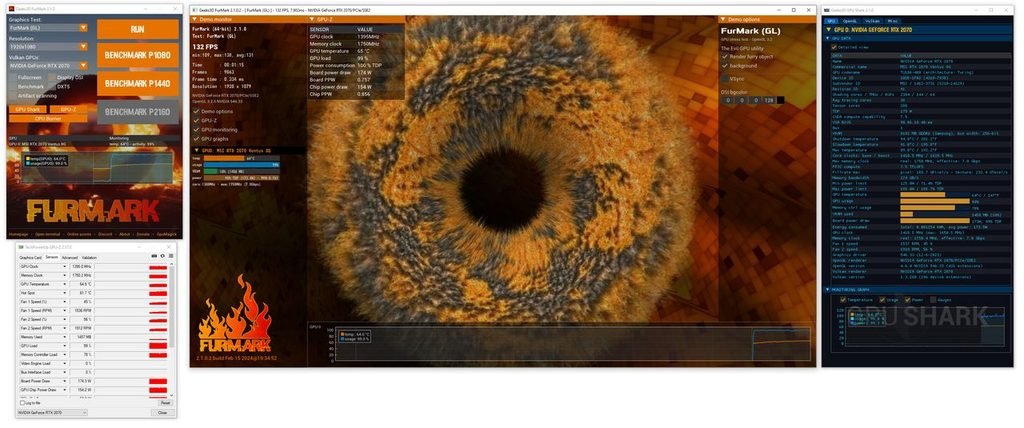
A graphics card might display a desktop perfectly fine but crash the moment you launch a game. Have the seller run a stress test like FurMark or OCCT for 15 minutes. Watch for extreme power fluctuations or sudden temperature spikes. Standard benchmarks like FurMark test the main graphics chip, but they can easily miss a single corrupted memory chip. Download OCCT and run its dedicated GPU Memory Test. If the VRAM throws even one single error during the test, do not buy the card. It will cause random game crashes and blue screens later on.
Watch for Artifacting During Testing
While the benchmark or a heavy game is running, stare closely at the monitor. If you see random flashing blocks, green/pink lines, dots, or tearing textures, the card’s video memory (VRAM) is failing. Do not buy it; “artifacting” means the card is dying.
Cross Reference the Temperature Delta
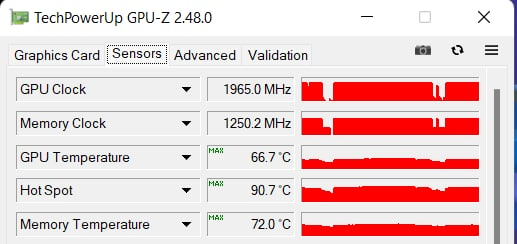
When reviewing the stress test logs, check the core temperature versus the Hotspot temperature. The overall temperature shouldn’t ideally exceed 80°C under load. More importantly, the gap between the core temp and the hotspot should not be wider than 15°C to 20°C. A massive delta means the internal thermal paste has dried up or the cooling block is warped.
Research the Power Requirements (TDP)
Before handing over money, make sure your power supply can actually handle the card. For example, a GTX 750 Ti or RX 550 pulls only 60-75W directly from the motherboard slot (perfect for a standard 250W office PC). However, a card like an older AMD RX 580 requires an external 8-pin power cable and a 500W power supply, which standard office desktops do not have.
Test Every Single Display Output Port
A GPU can easily pass a 30-minute stress test on one port but have a completely dead HDMI or DisplayPort next to it. If a port is dead, it often means there are ripped internal circuit board traces or a broken connection under the graphics core. Bring an extra cable or ask the seller to plug the monitor into every single port on the back of the card to ensure they all output a signal.
Pass the Vibe Check and Use Protected Payments
If buying online, only use platforms with buyer protection like eBay or Facebook Marketplace with PayPal Goods & Services. Avoid wire transfers or untraceable apps. Talk to the seller—if they seem incredibly defensive, evade basic testing questions, or list 10 of the exact same cards (a sign of an exhausted crypto-mining rig), look elsewhere.
Final Thoughts
As long as you stay patient, trust your instincts, and rigorously apply these testing and safety tips, you will easily avoid the risks of the used market. Armed with this knowledge, you are fully prepared to secure a fantastic deal, assemble your gaming PC, and enjoy titles for years to come without ever overspending.